# Adding Specifications to your products

## Steps to be followed: <a href="#steps-to-be-followed" id="steps-to-be-followed"></a>

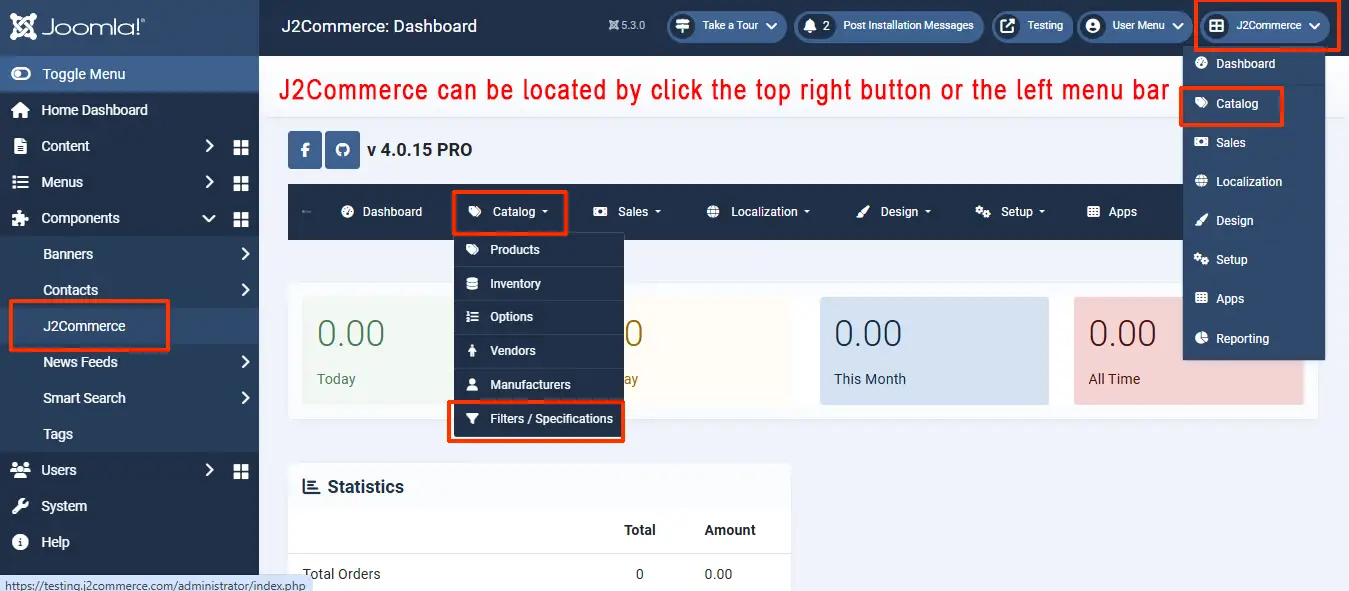
* Navigate to J2Commerce > Catalog > Filters/ Specifications.

<figure><img src="https://1405307842-files.gitbook.io/~/files/v0/b/gitbook-x-prod.appspot.com/o/spaces%2FkVKvFBYm8luCOko7zt2v%2Fuploads%2FzYkYNJ5ZB0rxezjJrYcn%2Ffilter2.webp?alt=media&#x26;token=17043545-f1f4-4404-82ca-dc8b1faf5960" alt=""><figcaption></figcaption></figure>

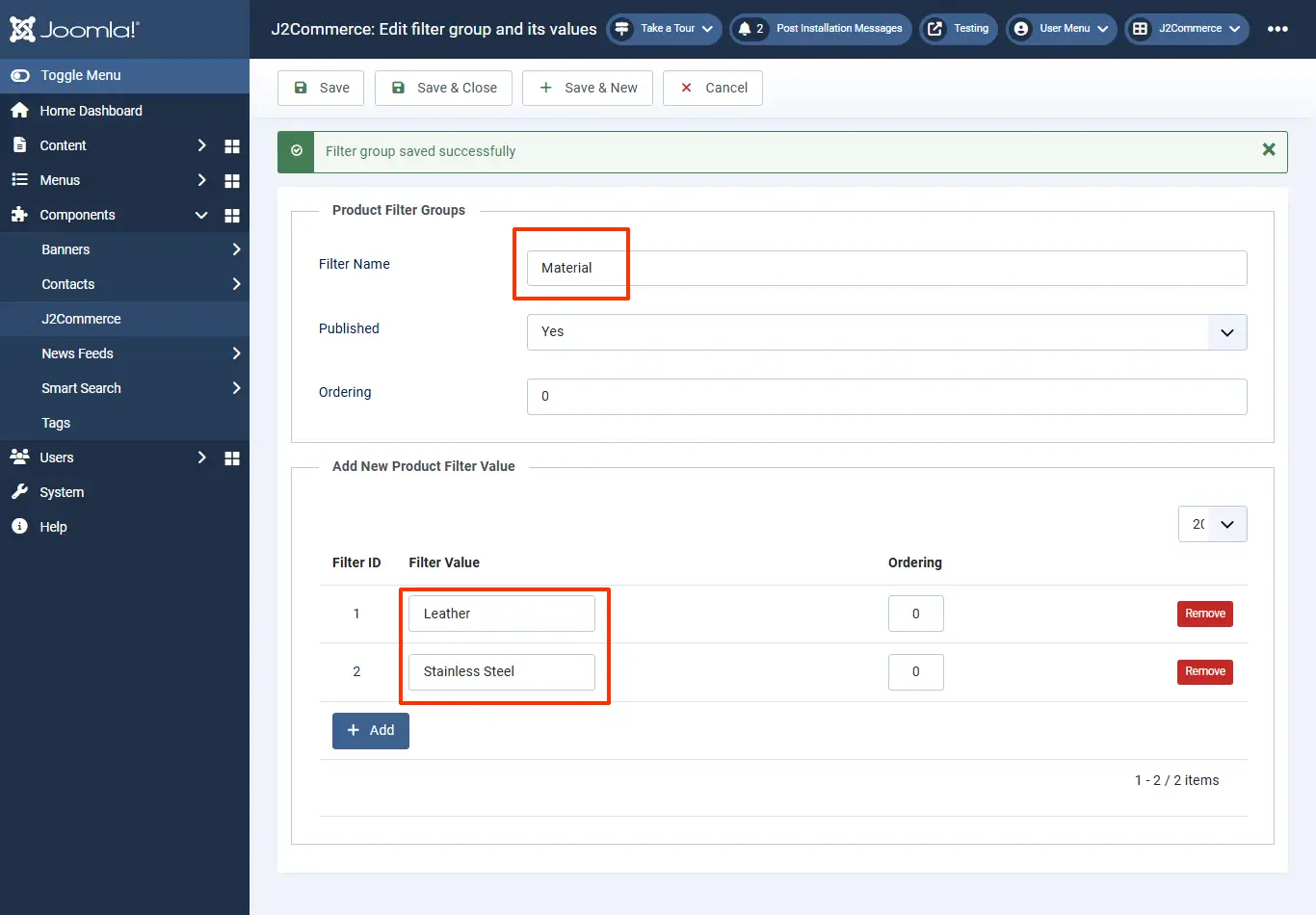
* Create a filter named Material and add values Leather and Stainless steel to the filter.
* Create another filter named Dial Color and add values to it accordingly.

<figure><img src="https://1405307842-files.gitbook.io/~/files/v0/b/gitbook-x-prod.appspot.com/o/spaces%2FkVKvFBYm8luCOko7zt2v%2Fuploads%2FOUsU9Eq7tOspOrBFYOS0%2Fcreating_filter.webp?alt=media&#x26;token=fd3b065b-1364-4a97-a446-90e2b6f1b2c4" alt=""><figcaption><p>creating filters</p></figcaption></figure>

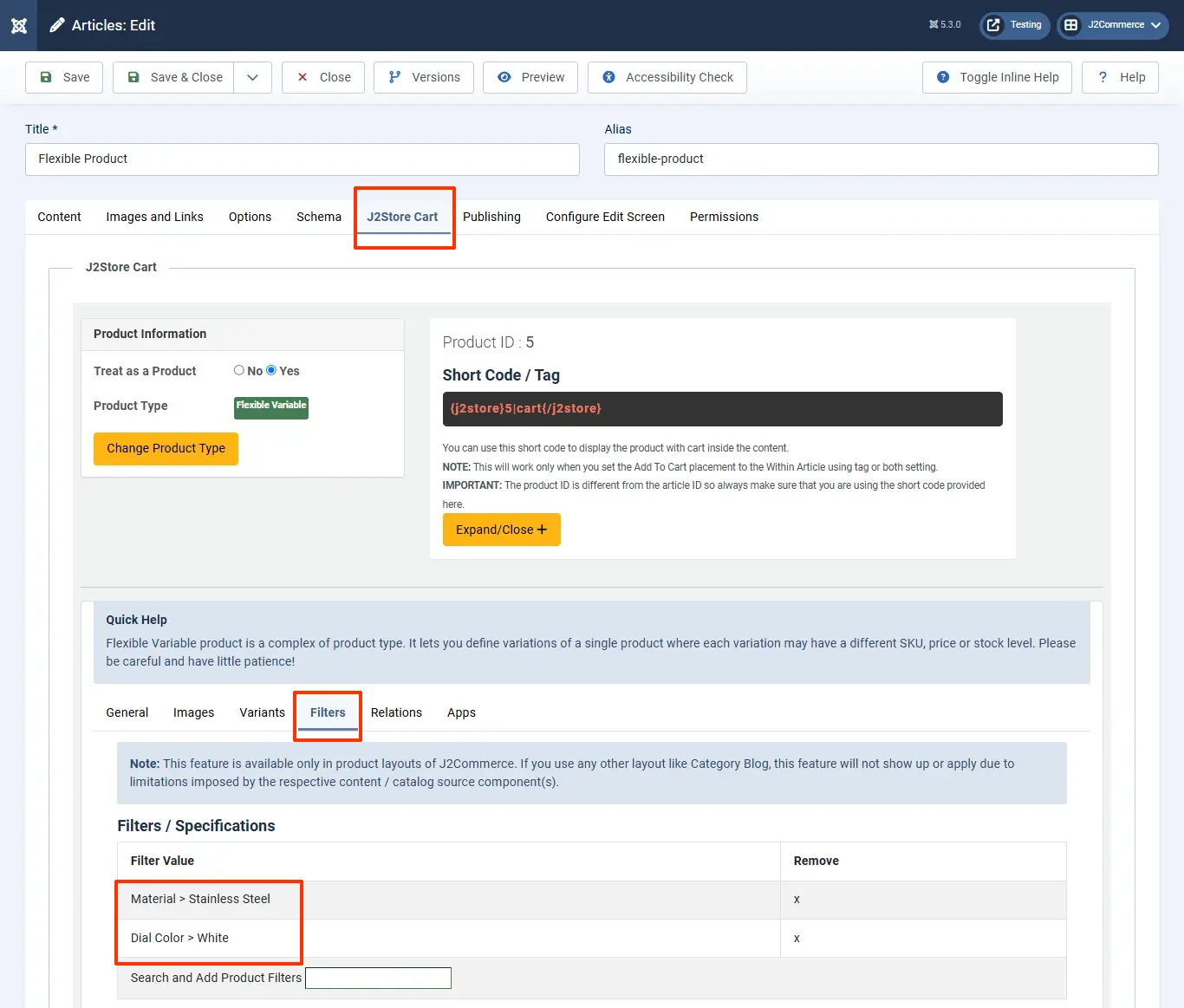
* Move to the product’s article page and click on the filters section under the J2Commerce (J2Store Cart) tab.
* Type in the name of the filter’s value created and save the article post, adding the filter values.&#x20;

<figure><img src="https://1405307842-files.gitbook.io/~/files/v0/b/gitbook-x-prod.appspot.com/o/spaces%2FkVKvFBYm8luCOko7zt2v%2Fuploads%2FnN03RkraMJ8WabNyJxmz%2Fflex_filters.webp?alt=media&#x26;token=b8c30211-db04-45fa-b1c0-4775657d93a6" alt=""><figcaption><p>adding filters to products</p></figcaption></figure>

* Navigate to Menu > Manager > Choose your product’s menu item > Product view options > Show specifications > Show > Save
* Now the product’s item view would have the Specifications listed in a separate tab named Specifications.

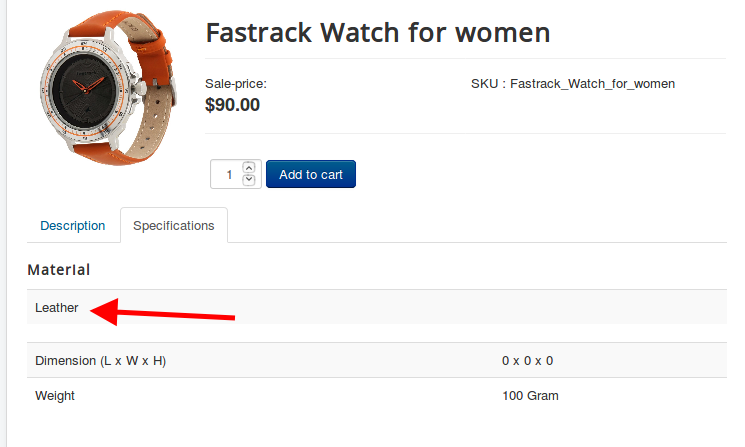
![Menu settings](https://1405307842-files.gitbook.io/~/files/v0/b/gitbook-x-prod.appspot.com/o/spaces%2FkVKvFBYm8luCOko7zt2v%2Fuploads%2F4WMxpZx3xLrMCxfWak0J%2Fshow_specs.webp?alt=media\&token=f0655529-4b7d-4c40-90c7-0ee7cdb6bec4)

![Frontend](https://raw.githubusercontent.com/j2store/doc-images/master/catalog/adding-specs-to-pro/specsinfront.png)

### Video Tutorial: <a href="#video-tutorial" id="video-tutorial"></a>

{% embed url="<https://www.youtube.com/watch?v=-zUJxAMT9KE>" %}