# Category Tree for displaying filters
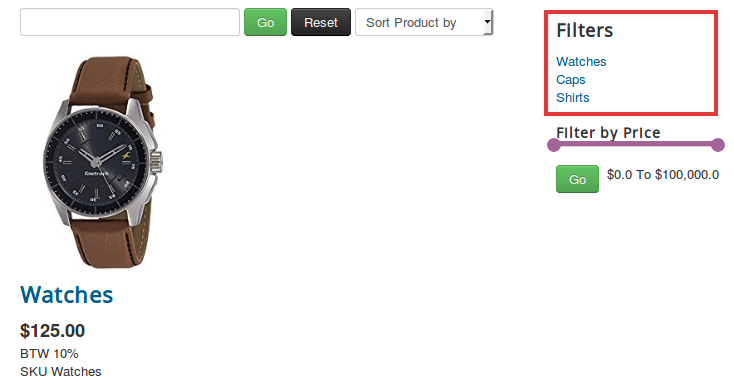
Sometimes you might want to display the filters in a tree structure. Or achieve a SEF URL for category filters. Here is what you can do to achieve that.
## Steps to be followed:
1. Create a menu with the name filters by going under Menu > Manage.
2. Select New to create a new menu item named Filters with the Unique Name: filters (lower case)
3. Create menu items with the names of the categories.
4. Add the menu items to the Filters menu.
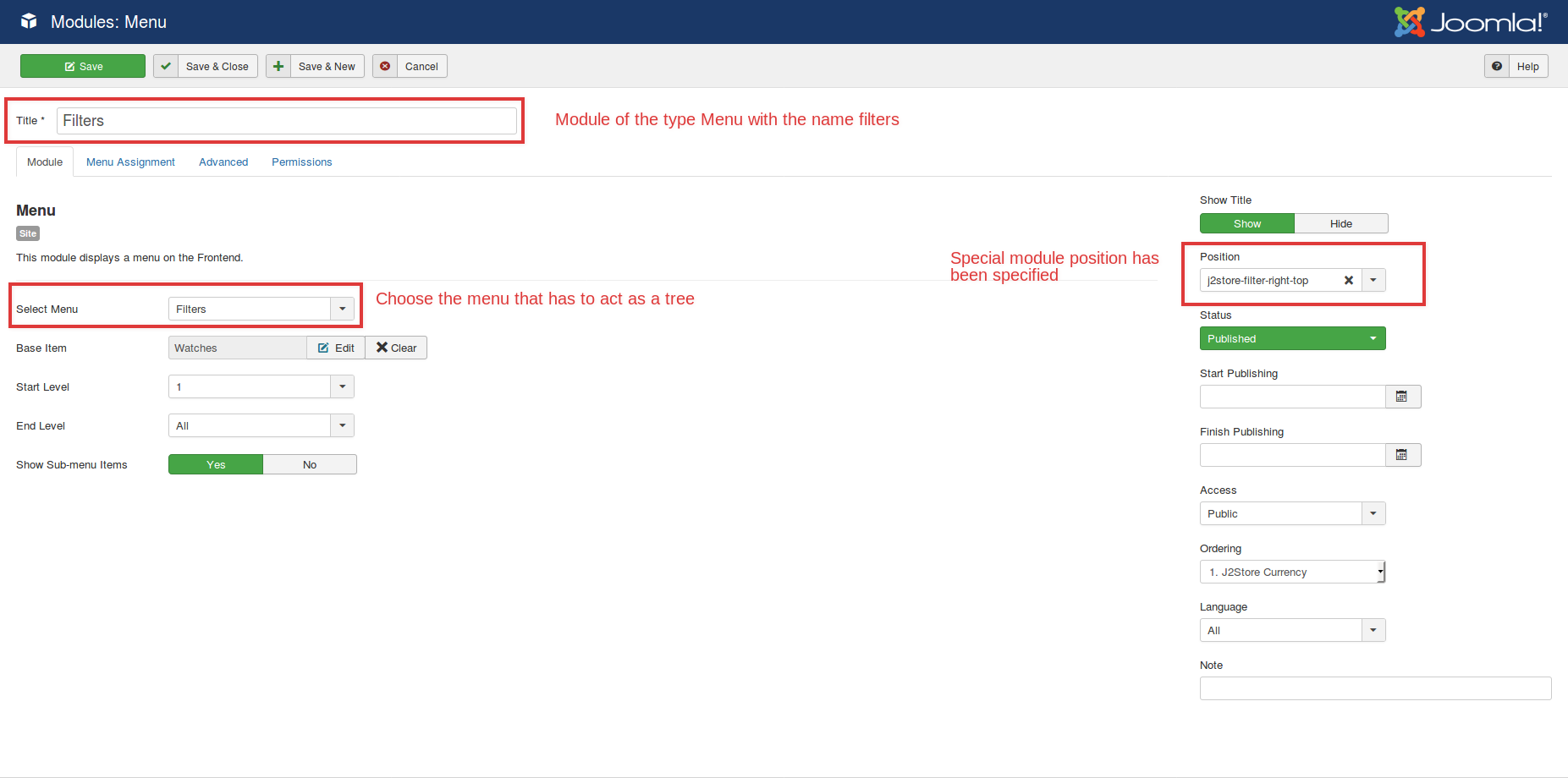
5. Navigate to Content > Site Modules > New > Menu Module.
6. Choose the Filters menu in the option “Select Menu”.
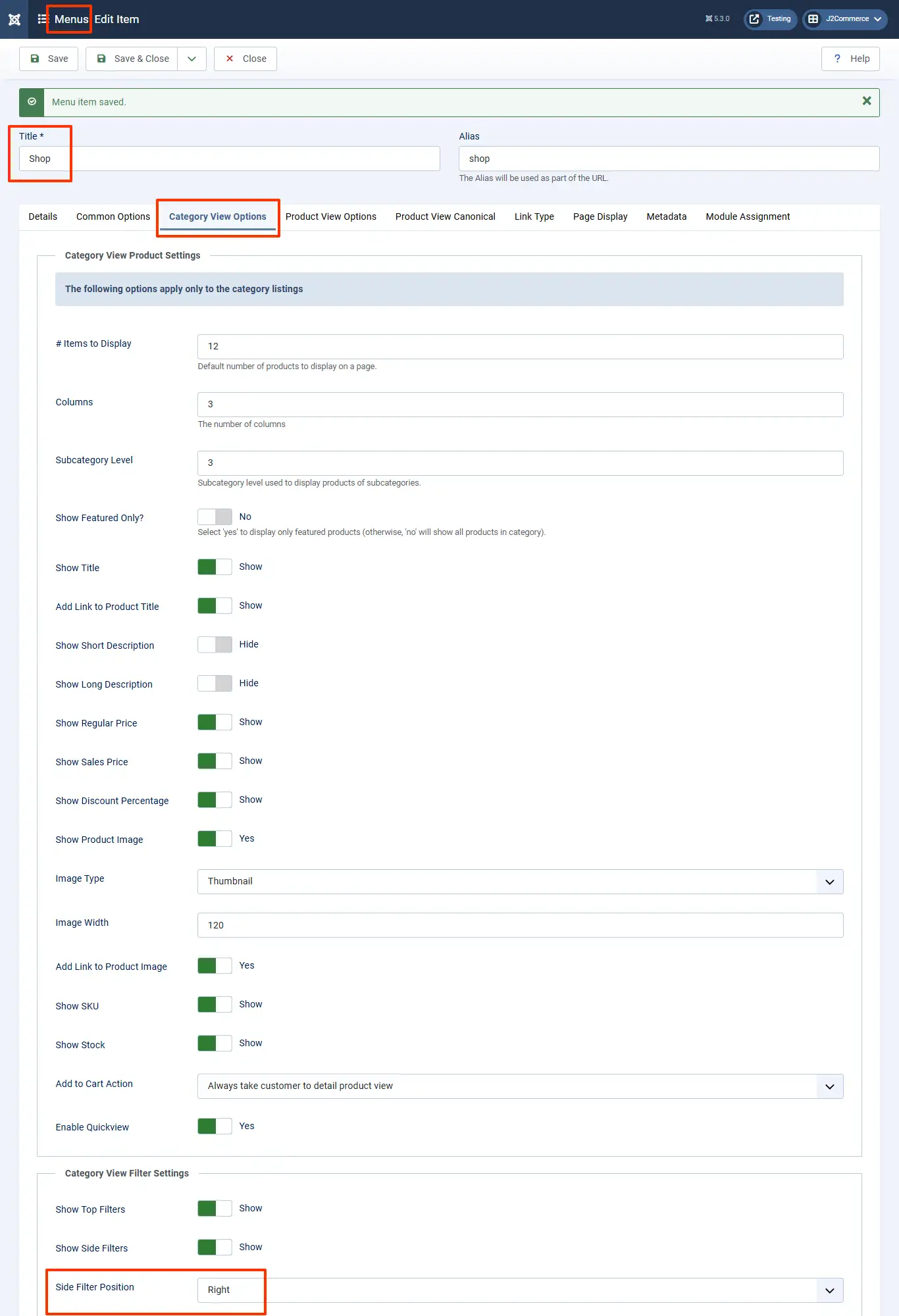
7. If your filters are displayed on the right, then set the position to j2store-filter-right-top. If your filters are displayed on the left, then set the position to j2store-filter-left-top.
8. Please note that you have to type this fully in the position field and then hit enter (it won't automatically display in the list of module positions).
9. If you're unsure where to see the filter positions, [click here](https://docs.j2commerce.com/j2commerce/layout/product-layout#item-view-options-in-category-listings)
1. The first photo below is where you find the filter position
Filter position
## Relevant Screenshots
The following screenshots will be of help:
Create a menu of the name filters:

Add menu items with category names to the menu filters:

Create a menu module in extensions with the name Filters: j2store-filter-right-top
**Frontend view:**
The frontend view will be as follows: